

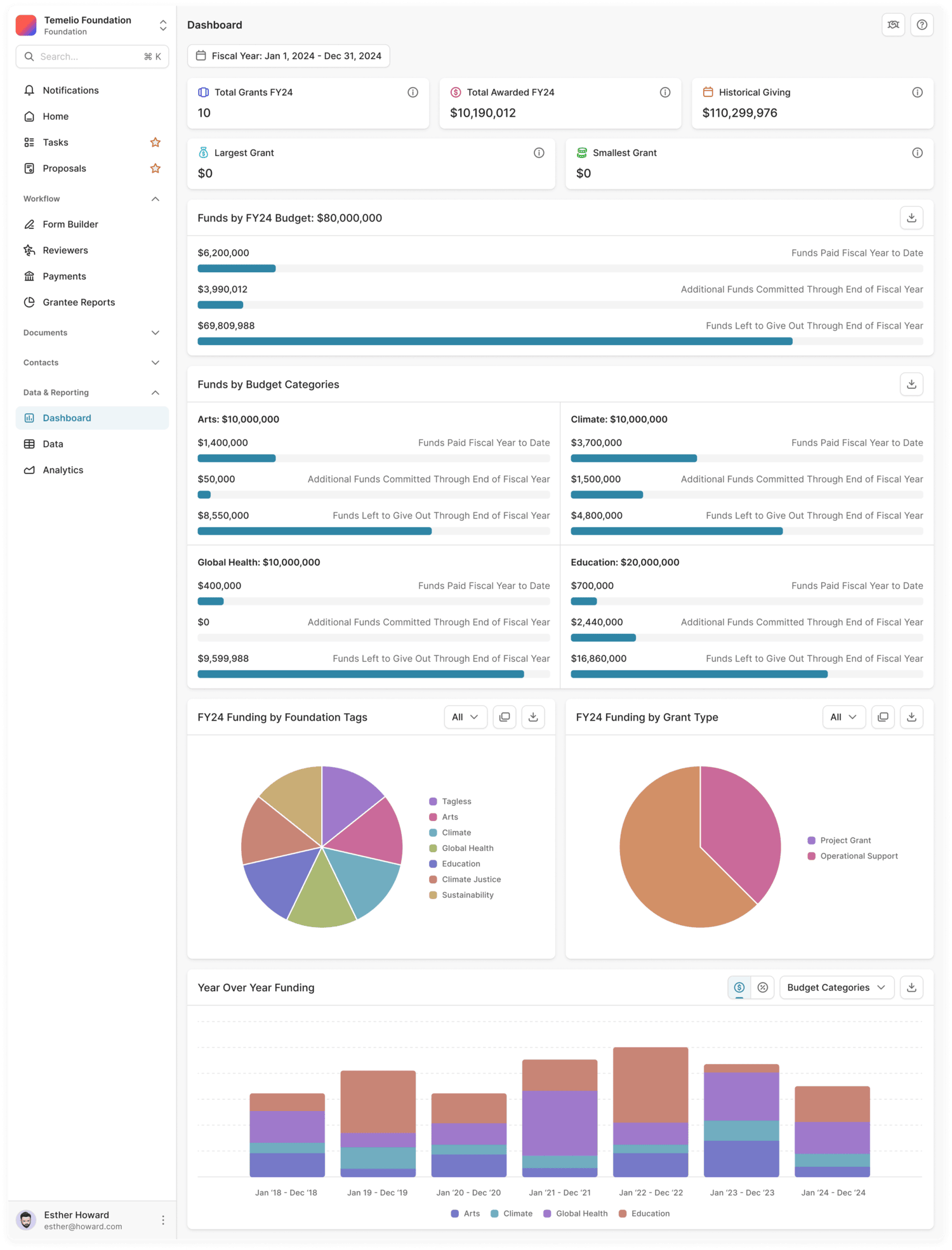
Transform complex data into intuitive, board-ready visuals. Temelio’s live dashboards provide an instant snapshot of your foundation’s grantmaking portfolio, summarizing the types of grants you’ve awarded (operational vs. program-specific), mission areas you’ve funded, and real-time budget health without the hassle of a manual export. Easily create custom charts (e.g, bar charts, pie charts, line charts). Plus, forecast how specific funding decisions would affect current and future budgets with our Scenario Analysis tool.
Because Temelio operates as a complete grants intelligence platform, if the data is in the system, you can report on it! Leverage pre-built reports and create your own custom reports—from start dates to awarded amounts to location. Stay audit-ready year-round with automated data exports tailored to simplify your annual 990-PF tax filings.
Monitor your fiscal footprint as you go. Our dynamic charts allow you to compare dollars awarded against your budget and track total dollars committed to see exactly where your capital is allocated and what remains available for future cycles. This ensures your general ledger remains in sync with your program goals, so you never over-allocate.
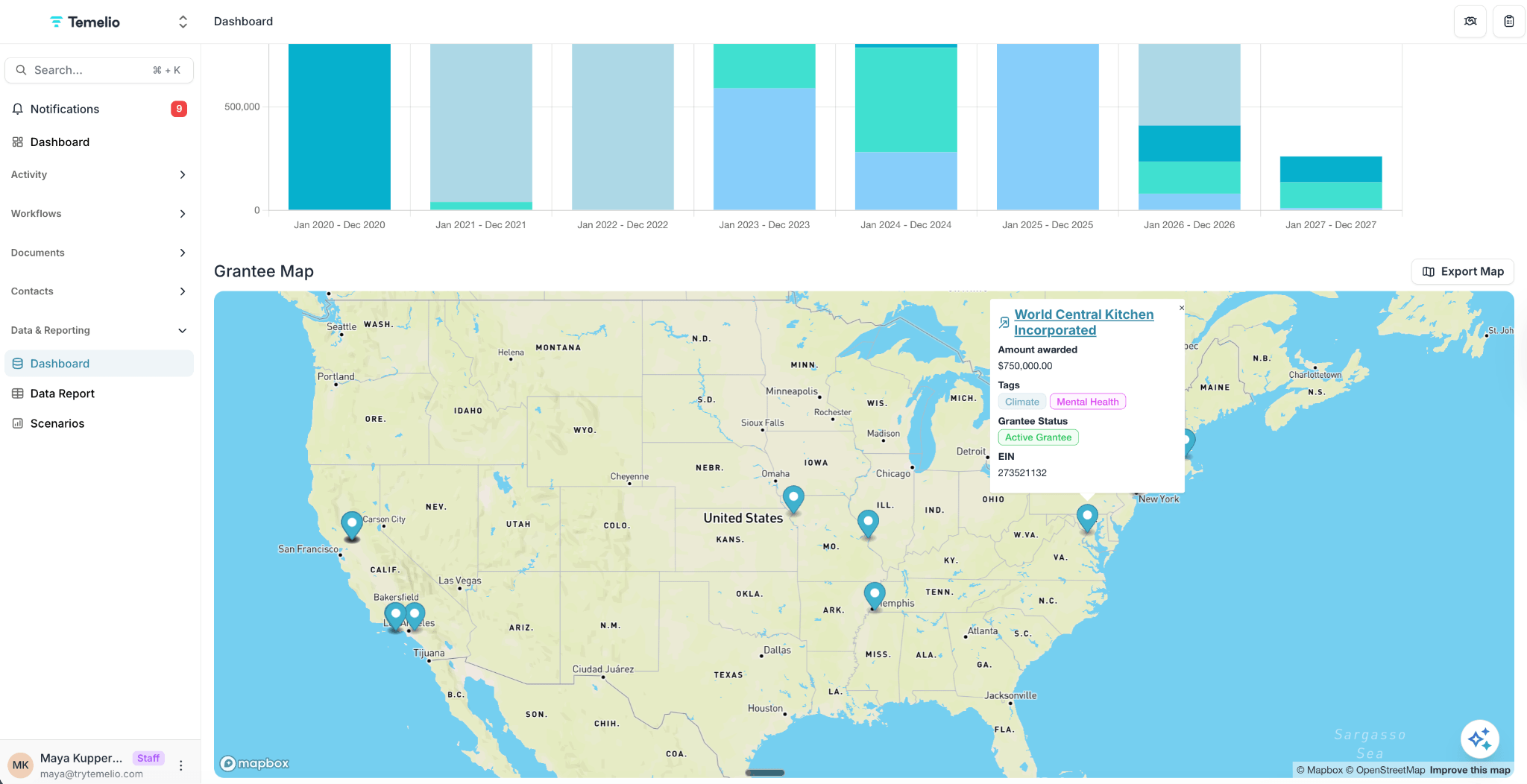
Visualize your reach with an automated grantee map. Easily track and report on your geographical impact by city, region, or custom territory, demonstrating your foundation’s local and global footprint.
Analyze your history to build your future! Use year-over-year funding reports to spot trends and create granular breakdowns by program areas, grant types, or custom budget categories (such as specific types of organizations or mission tags).
Stop rebuilding the same foundation reports every month. Once you generate a report, save it for future use with personal and team filters. This ensures everyone is working with the same, refreshed insights.







.jpg)



.png)









.png)


Working with you globally from NYC
14 Wall St, 18C New York, NY 10005
Working with you globally from NYC
14 Wall St, 18C New York, NY 10005