
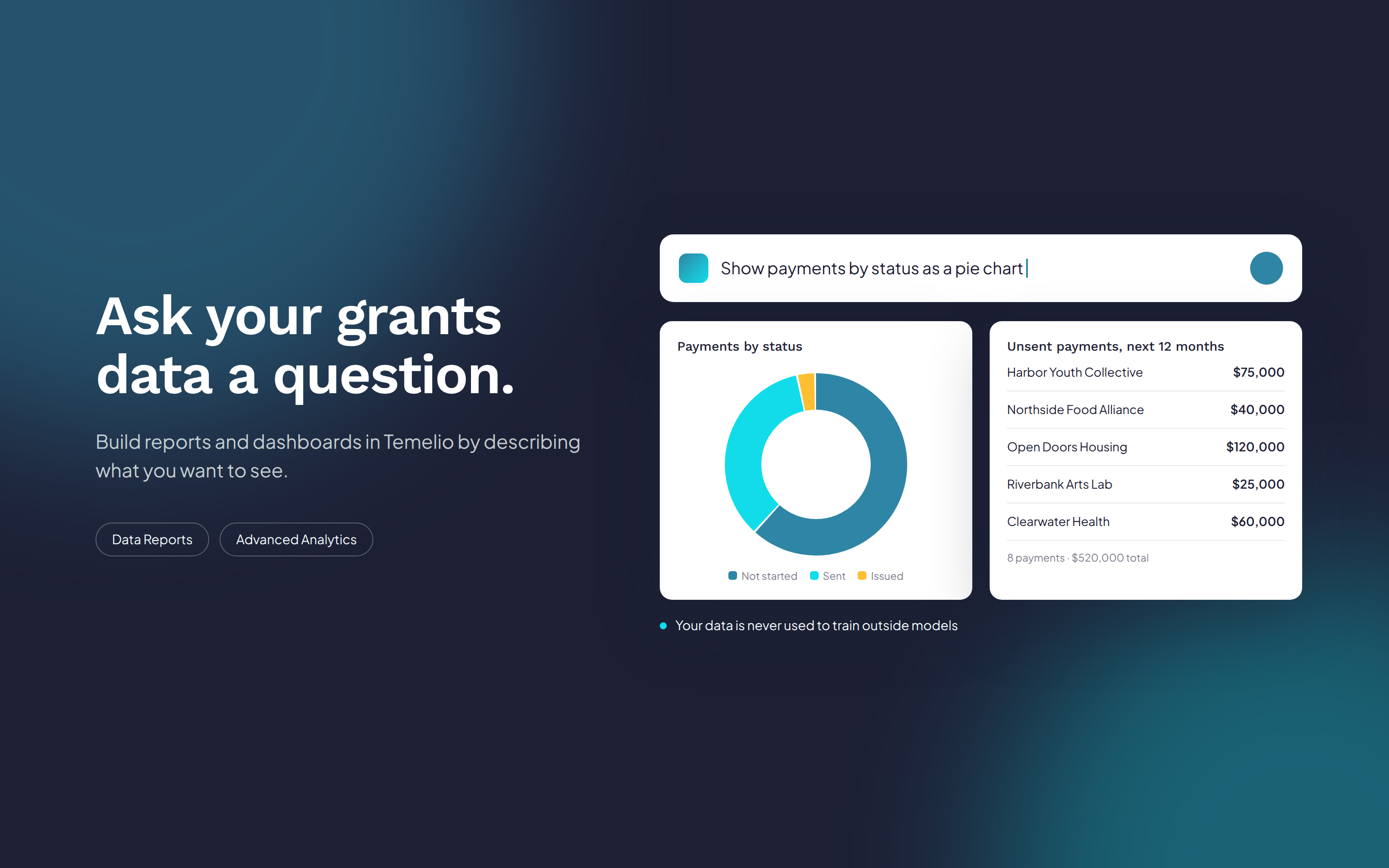
Most people on a foundation team now use AI chat tools almost every day. They ask a question in plain language, get an answer, and ask a follow-up. That habit has changed what people expect from every piece of software they use at work, including their grants management system.
Reporting is where that gap shows most. The data is all there: proposals, grantees, payments, reports, and reviews. But getting a specific answer usually means knowing which fields to pick, how filters combine, or how to build a dashboard with complex analytics tools. The people with the best questions about a portfolio are often not the people who know how to query it.
As a technology platform, we think our job is to keep up with how people actually work, not ask them to learn our tools first. That is why we are bringing AI prompting into two of Temelio's core reporting features: Data Reports and Advanced Analytics. In both, you can now describe what you want to see, review what Temelio builds, and refine it in conversation.
The result is not just faster reporting. When asking a question takes seconds, teams ask more questions. They follow a hunch, compare one more slice of the data, and catch the items that are about to slip. That is how analysis gets deeper, more thorough, and more interesting.
Data Reports are where Temelio users pull lists and tables across their grants data. With Ask AI, you type a request the way you would say it to a colleague, and Temelio builds the report for you.
For example, a grants manager can ask: "Show me all payments coming up in the next year that have not been sent." Temelio finds scheduled payments due in the next 12 months with no sent date and returns them as a report. From there, you can narrow the request in the same conversation or update it directly in the data table.
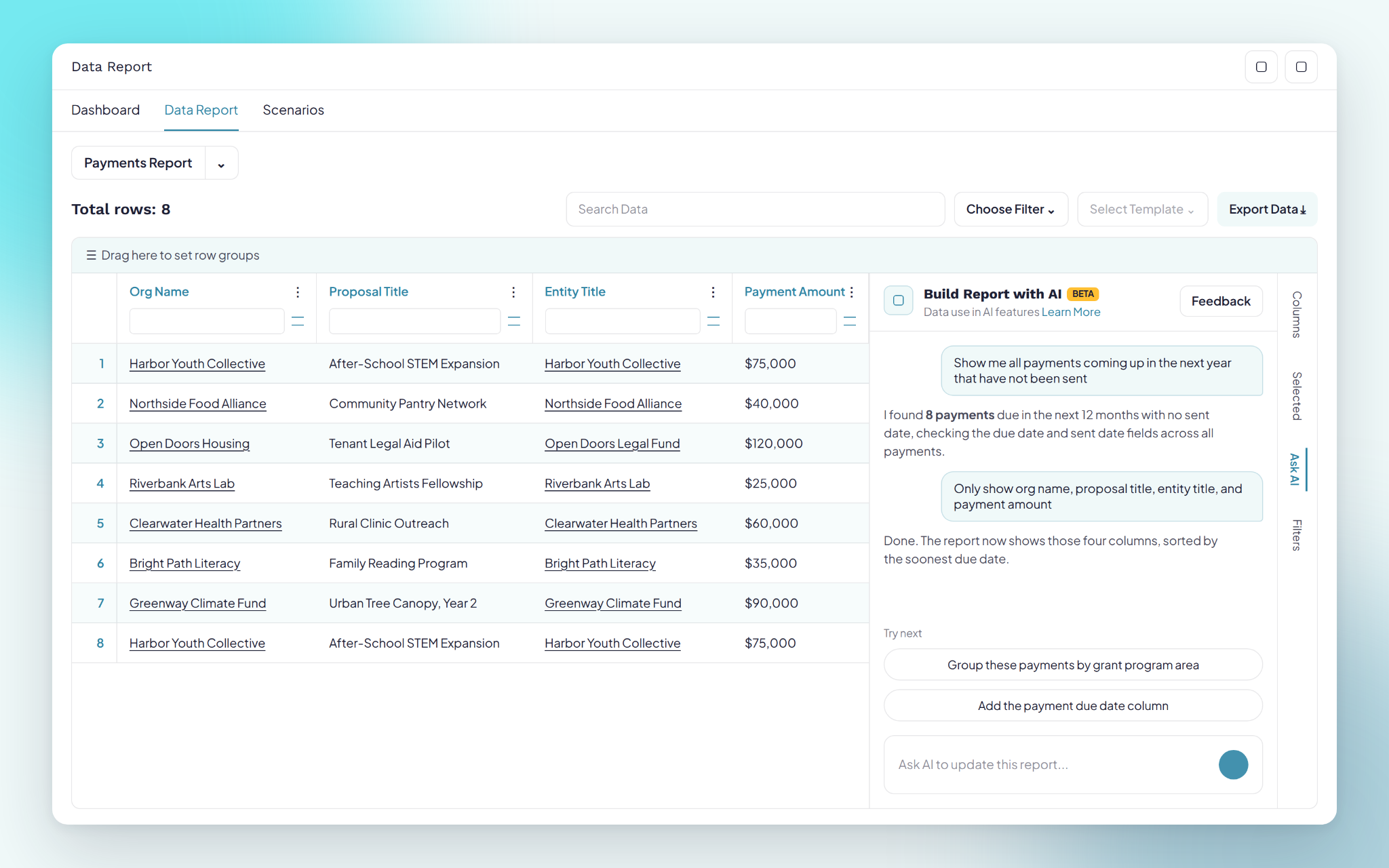
The feature functionality includes:
Advanced Analytics is Temelio's data visualization layer: dashboards and charts built directly on your grants data, inside the platform. Until now, building a new chart took some comfort with a technically complex data tool. With Build Charts with AI, it takes a sentence.
Click Build with AI on any dashboard and a panel opens with starter suggestions drawn from your own datasets, such as "Count proposals by pipeline," "Break down active grants by stage," or "Show payments month over month." You can also ask, "What charts can I build from my data?" to see what is possible.
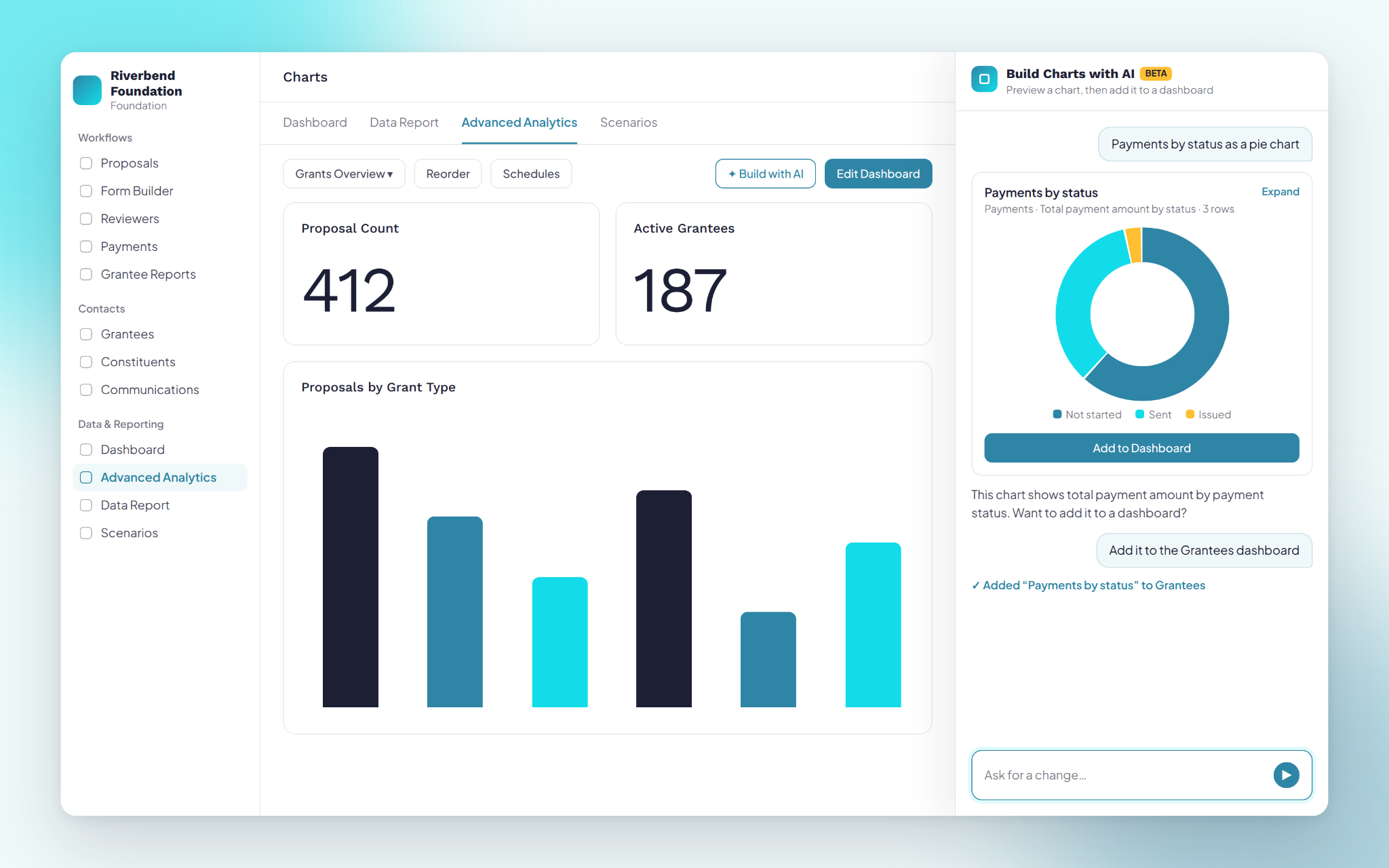
The feature functionality includes:
AI prompting in Temelio follows the same standards as all of our core AI capabilities. Your data is never used to train outside models, and Temelio has enterprise agreements with its AI providers that do not store your data or use it for training.
AI prompting in Data Reports and Advanced Analytics is now part of Temelio's grants management software. If your team spends hours building reports by hand, or waits on a technical teammate to answer questions about your portfolio, we would love to show you a different way. Book a demo, and we will walk through how Temelio answers the questions your team asks most, using your own data.
What is AI prompting in Temelio? It lets you build reports and charts in Temelio's grants management software by describing what you want in plain language. It is available in Data Reports (Ask AI) and in Advanced Analytics (Build Charts with AI).
Do I need to know SQL to build dashboards in Advanced Analytics? No. Build Charts with AI turns a plain-language request, such as "payments by status as a pie chart," into a chart you can preview and add to a dashboard.
What kinds of questions can I ask in Data Reports? Anything you would normally build a report for, such as unsent payments due in the next year, proposals at a given stage, or reports coming due. You can then narrow the result to the columns you need.
Can I get AI-built reports sent to my team automatically? Yes. Advanced Analytics supports scheduled dashboard emails and threshold alerts, such as a payment passing its due date.
Is my foundation's data used to train AI models? No. Temelio does not use your data to train outside models, and our enterprise agreements with AI providers prevent them from storing or training on it.

Working with you globally from NYC
14 Wall St, 18C New York, NY 10005